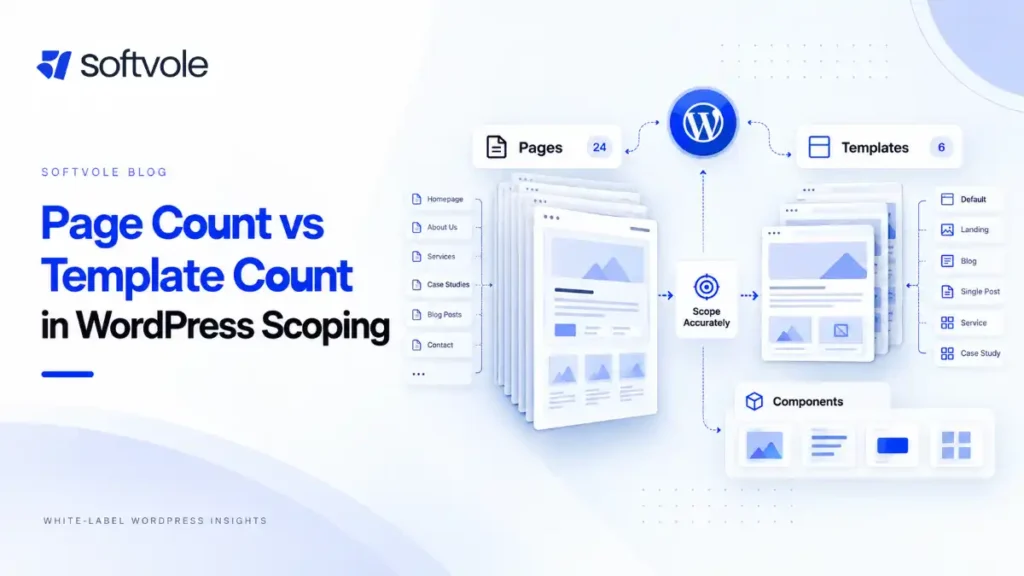
A client asking for a “12-page WordPress website” has told you surprisingly little about the amount of work involved.
Those 12 pages might use four reusable layouts with finished copy and no integrations.
Or they might involve 12 individually designed pages, custom post types, multilingual content, a CRM, conditional forms, animation, 300 migrated URLs, analytics events, accessibility requirements, and three stakeholders who all expect approval rights.
The page count is identical. The production scope is not.
That is why a useful WordPress project scoping checklist should not be a longer version of a sales questionnaire. Its job is to translate what the client wants into things a designer, developer, project manager, QA specialist, or external production partner can actually estimate.
The output of scoping should answer four questions:
- What exactly are we delivering?
- What inputs and decisions are required from the client or agency?
- What does “done” mean for each deliverable?
- Which unknowns could still change the price or timeline?
Current articles ranking around website scoping commonly cover pages, functionality, content, integrations, revisions, exclusions, and ownership. Those are necessary. The operational gap appears when a scope never gets specific enough to tell the delivery team how many templates exist, how content is modeled, what an integration must actually do, what gets migrated, who validates the migration, or what counts as an accepted build.
A strong scope closes those gaps before the quote becomes a promise.
What should a WordPress project scope define before an agency quotes?
At minimum, define these areas before committing to a fixed WordPress development price:
- business goals and project constraints;
- sitemap, pages, unique templates, and reusable components;
- content readiness and content responsibilities;
- CMS architecture, post types, taxonomies, and fields;
- functionality and third-party integrations;
- WooCommerce requirements, where applicable;
- migration and SEO preservation;
- technical architecture and environments;
- QA and acceptance criteria;
- feedback, revisions, and approval authority;
- launch, handoff, licensing, and ongoing ownership.
You do not need every tiny implementation decision before quoting every project.
You do need enough certainty that the unresolved decisions cannot materially change the work.
That distinction matters.
1. Start with the business requirement, not WordPress
Before asking what theme, builder, or plugin the client wants, establish what the website is supposed to accomplish.
A redesign intended mainly to modernize an outdated brand has a different scope from a redesign expected to replace lead-routing infrastructure or consolidate several existing websites.
Document:
- primary business objective;
- primary audiences;
- priority conversion actions;
- reason for rebuilding now;
- hard launch constraints;
- known compliance requirements;
- systems the website must preserve or replace;
- measurable requirements the client expects the project to affect.
Avoid vague requirements such as:
Improve conversions.
Turn them into implementation-relevant requirements:
Service pages must provide a persistent consultation CTA and send qualified submissions to HubSpot with the selected service and location attached.
The agency may not guarantee the eventual conversion rate, but it can scope the infrastructure required to support that goal.
The same principle applies to “improve SEO,” “make it faster,” “make it accessible,” and “make editing easier.” Each phrase needs to become a concrete delivery requirement or an explicit exclusion.
2. Separate pages, templates, and components
One of the most common quoting errors is treating published page count as development complexity.
A site with 80 location pages generated from one structured template may require less front-end development than an eight-page campaign site where every page has a unique layout.
Scope all three layers separately.
Published pages
These are individual URLs such as:
- Home
- About
- Services
- Contact
- Pricing
- individual service pages
- landing pages
- policy pages
Published page count matters for content population and QA.
It is not enough to estimate development.
Unique templates
Templates describe reusable structural layouts.
A project might contain:
- homepage;
- standard content page;
- service page;
- service archive;
- case-study archive;
- case-study single;
- blog archive;
- blog single;
- search results;
- 404;
- contact page.
WordPress itself uses templates to determine how content is presented, and custom content types can have their own archive and single templates.
This is a much better production unit than simply saying “20 pages.”
Reusable sections or components
Then identify repeating elements that need defined behavior:
- header;
- mega menu;
- announcement bar;
- footer;
- hero variations;
- testimonial block;
- pricing table;
- comparison table;
- FAQ accordion;
- team grid;
- logo wall;
- CTA sections;
- filtering controls;
- forms;
- sliders;
- modal windows;
- location selectors.
For each component, ask whether it is:
- globally reusable;
- editable in WordPress;
- page-specific;
- populated manually;
- populated dynamically;
- responsive;
- animated;
- conditional.
A simple scope-unit table
| Client wording | Too vague to quote | Better delivery definition |
|---|---|---|
| “12-page site” | Yes | 12 populated pages across 5 responsive templates |
| “Blog” | Yes | Blog archive, single-post template, categories, author/date display, search behavior |
| “Case studies” | Yes | Case Study custom post type, 6 fields, archive, single template, 12 migrated records |
| “Contact form” | Yes | 8-field form, validation, spam protection, admin email, confirmation state |
| “CRM integration” | Yes | Form submissions create/update HubSpot contacts and pass 5 mapped properties |
| “Migration” | Yes | Migrate 85 published posts, images, authors, metadata, and map changed URLs |
| “SEO setup” | Yes | Metadata migration, indexation controls, canonical checks, sitemap, redirect implementation |
| “Responsive” | Yes | Approved layouts implemented and QA-tested at agreed viewport ranges |
| “WooCommerce” | Yes | Catalog, product template, cart, checkout, account, payment, shipping, tax and email workflows |
This is the shift agencies need to make: scope the unit of work, not the client’s shorthand for it.
3. Scope content as production work, not an afterthought
“Client supplies content” does not resolve content scope.
You still need to know:
- Is final copy ready?
- Are images available?
- Who selects and crops images?
- Are image licenses already handled?
- Does the agency upload content?
- Does the developer upload it?
- Are layouts being built using final copy or placeholder copy?
- Is content being transferred from the existing website?
- Who reformats legacy content?
- Are downloadable PDFs included?
- Who adds alt text?
- Are metadata and social images included?
- Will late content delay the launch date?
A build with 40 content-heavy pages can become a significant population project even when the design only contains five templates.
Define a content allowance in measurable terms.
For example:
Development includes population of the approved homepage plus 14 standard pages using final client-supplied copy and media. Additional page population, rewriting, image sourcing, or reformatting of legacy documents is outside scope.
This creates a much cleaner boundary than “content provided by client.”
Content readiness should affect the quote
If final content is not ready, determine whether:
- design will use representative placeholder content;
- templates may need adjustment after final content arrives;
- final content review creates another revision cycle;
- structured fields cannot yet be confirmed;
- launch depends on content delivery.
A missing paragraph is rarely dangerous.
An unknown content model can be.
4. Define the WordPress CMS model before development
This is where a WordPress-specific scope should go further than a generic website scope.
Ask what editors need to manage after launch.
Do not assume every piece of content belongs in a standard WordPress page.
Potential content types include:
- services;
- case studies;
- locations;
- team members;
- testimonials;
- resources;
- events;
- jobs;
- properties;
- vehicles;
- products;
- courses;
- documentation.
WordPress supports custom post types, and official WordPress guidance recommends placing content types that should survive a theme change in plugin-level functionality rather than tying them permanently to the active theme.
For each structured content type, document:
Post type
Example: Case Study
Taxonomies
Example:
- Industry
- Service
- Region
Fields
Example:
- client display name;
- summary;
- featured image;
- services delivered;
- industry;
- challenge;
- solution;
- result text;
- testimonial;
- CTA destination.
Required versus optional fields
This matters for both editing and template behavior.
What happens if no testimonial exists?
Does the section disappear?
Does an empty box remain?
Archive behavior
Define:
- sort order;
- filters;
- search;
- pagination;
- featured entries;
- empty states.
Permalink requirements
Define URL structure before migration or development where possible.
Changing it later can create redirect work and affect existing URLs.
Editor control
Be explicit about whether the client can:
- reorder sections;
- hide sections;
- change layouts;
- create new page designs;
- edit only structured fields;
- use Gutenberg blocks;
- use a page builder;
- edit global styles.
An “easy-to-edit WordPress website” can mean anything from tightly controlled fields to unrestricted drag-and-drop page construction. Those approaches have different build and QA implications.
5. Scope functionality by behavior and edge case
Never scope a feature only by its noun.
“Booking.”
“Search.”
“Calculator.”
“Portal.”
“Form.”
Those words are categories, not requirements.
For every functional feature, answer:
- What triggers it?
- What data does it use?
- What should happen?
- Where should the output go?
- Who needs to receive or manage it?
- What happens when something fails?
Consider a form.
A simple form could:
- collect name, email, message;
- send an email;
- show a confirmation message.
A more involved form could:
- show fields conditionally;
- validate a postcode;
- upload documents;
- route submissions by location;
- create a CRM contact;
- assign a lifecycle stage;
- trigger an automation;
- send different autoresponders;
- track a conversion event;
- store submissions in WordPress;
- require consent;
- block spam;
- provide fallback behavior if the CRM API fails.
Both can appear in a client brief as “contact form.”
They should not receive the same estimate.
6. Treat integrations as mini-projects inside the project
Integrations are a common source of hidden scope because the agency may understand the goal without understanding the implementation.
For every integration, record:
- vendor and product;
- account owner;
- documentation availability;
- required credentials;
- authentication method;
- source system;
- destination system;
- fields or objects being transferred;
- trigger;
- direction of data flow;
- expected success response;
- duplicate handling;
- error behavior;
- test environment availability;
- person responsible for third-party configuration.
Examples might include:
- HubSpot;
- Salesforce;
- Mailchimp;
- Klaviyo;
- ActiveCampaign;
- GoHighLevel;
- Calendly;
- Stripe;
- accounting software;
- ERP systems;
- fulfillment systems;
- property feeds;
- custom APIs.
Do not write:
Integrate website with CRM.
Write something closer to:
Contact and consultation forms will create or update HubSpot contacts using email as the match field. Form values for service interest, location, and source page will map to existing HubSpot properties. HubSpot workflow creation and CRM data cleanup are excluded.
That sentence is quoteable.
The first one is not.
7. Give WooCommerce its own scoping layer
WooCommerce projects require more than adding products to WordPress.
Before quoting, confirm:
Catalog structure
- number of initial products;
- simple versus variable products;
- variations;
- categories;
- tags;
- attributes;
- bundles or subscriptions;
- downloadable products;
- custom product fields.
Pricing
- regular and sale pricing;
- customer-specific pricing;
- wholesale rules;
- dynamic discounts;
- coupon requirements.
Checkout
- guest checkout;
- account requirements;
- checkout fields;
- address logic;
- consent fields;
- custom checkout steps.
Payments
Identify actual gateways, regions, currencies, and testing requirements.
Shipping
Document:
- shipping zones;
- classes;
- flat rates;
- live carrier rates;
- local pickup;
- free-shipping rules;
- international restrictions.
Taxes
Clarify whether the agency is implementing rules supplied by the client or expected to advise on tax policy. Do not quietly assume responsibility for legal or accounting decisions.
Transactional email
Confirm which WooCommerce emails are being styled or changed.
Accounts
Define what customers can view or edit in My Account.
Integrations
WooCommerce can expose data through its REST API and send webhook events to external systems. If a store depends on integrations, define the exact events and data behavior rather than simply listing “API integration.”
Testing
A proper WooCommerce QA scope should include relevant purchase workflows, not only visual checks.
WooCommerce’s own update guidance recommends testing important workflows such as product pages, cart, checkout, payments, shipping, taxes, emails, and extension-specific functionality on staging before production changes.
For an ecommerce build, those workflows should be identified during scoping rather than discovered two days before launch.
8. Define migration before someone says “just move everything”
Migration deserves its own inventory.
For an existing WordPress site, inspect:
- posts;
- pages;
- custom post types;
- taxonomies;
- users;
- authors;
- media library;
- custom fields;
- forms;
- form submissions;
- comments;
- products;
- orders;
- customers;
- coupons;
- redirects;
- SEO metadata;
- downloadable files;
- plugin-specific data.
For a non-WordPress source, determine whether the data is available through:
- database export;
- CSV;
- API;
- CMS export;
- manual extraction;
- copy-and-paste.
Then classify every content set as:
- migrate automatically;
- migrate manually;
- rebuild;
- archive;
- redirect;
- delete intentionally.
URL mapping should be scoped during discovery
If URLs are changing, redirect work should not appear as a surprise launch task.
Google’s current site-move documentation recommends preparing a mapping from existing URLs to their new destinations and using server-side permanent redirects such as 301 or 308 where possible. Google also advises avoiding irrelevant mass redirects and keeping redirects in place for as long as possible, generally at least a year.
A migration scope should therefore state:
- who exports existing URLs;
- who decides destination URLs;
- who implements redirects;
- who validates status codes;
- whether internal links are updated;
- whether canonicals are checked;
- whether XML sitemaps are reviewed;
- who checks Search Console after launch.
“SEO migration included” is not precise enough.
9. Clarify the technical WordPress architecture
The scope should state the architectural assumptions the quote depends on.
Existing site or clean build?
Determine whether the team is:
- rebuilding inside the current installation;
- creating a fresh WordPress installation;
- replacing an existing theme;
- inheriting an existing page builder;
- cleaning up an old site;
- migrating to new hosting.
Theme approach
Specify whether the project uses:
- custom theme;
- child theme;
- block theme;
- commercial theme;
- Elementor;
- Gutenberg;
- another builder.
WordPress’s documentation distinguishes themes primarily as the presentation layer and plugins as the appropriate home for functionality that should remain available if the design changes.
That distinction becomes important when scoping custom functionality.
Plugin assumptions
Create an initial plugin list and label each item:
- existing;
- new;
- premium;
- client-owned license;
- agency-owned license;
- custom-developed;
- replacement candidate.
Do not wait until handoff to determine who owns a premium plugin license.
Hosting
Confirm:
- current host;
- destination host;
- PHP/server restrictions where relevant;
- staging availability;
- backup method;
- CDN;
- caching;
- SSL;
- DNS ownership.
For a hosting migration without URL changes, Google’s current guidance includes preparing and testing the new infrastructure, maintaining Search Console verification, removing temporary indexing blocks before the move, changing DNS, and monitoring traffic and crawling afterward.
Environments
State whether the project includes:
- local development;
- staging;
- production deployment;
- production-to-staging synchronization;
- version control;
- deployment workflow.
For a five-page brochure site, you may not need an elaborate release process.
For an active WooCommerce store taking real orders, the deployment plan deserves much more attention.
10. Write QA into the scope before development starts
“Fully tested” sounds reassuring but creates a poor contractual boundary.
Tested how?
By whom?
Against which browsers?
Against which requirements?
A useful WordPress QA scope separates different kinds of testing.
Functional QA
Test:
- links;
- navigation;
- forms;
- search;
- filters;
- calculations;
- user flows;
- account behavior;
- WooCommerce flows;
- integrations.
Responsive QA
Define supported viewport ranges or device categories.
Avoid promising every device ever manufactured.
Browser QA
List the browser policy your agency supports.
For example:
Current stable versions of Chrome, Safari, Firefox, and Edge at time of QA.
Adjust the policy to your clients and contracts.
Content QA
Clarify whether your team checks:
- missing content;
- broken images;
- formatting;
- spelling;
- incorrect links;
- placeholder text.
Copyediting is not automatically part of development QA.
SEO migration QA
Where applicable:
- indexability;
- titles and descriptions;
- canonical tags;
- redirects;
- robots directives;
- sitemap;
- internal links;
- 404 responses;
- Search Console verification.
Accessibility QA
Do not write “ADA compliant” or “WCAG compliant” casually unless the project genuinely includes the work, testing, and responsibility necessary to support that commitment.
If the requirement is WCAG 2.2 Level AA, say so explicitly and define how it will be evaluated.
W3C describes WCAG 2.2 as the current WCAG 2 standard and distinguishes conformance levels A, AA, and AAA. If a project requires Level AA conformance, both Level A and Level AA success criteria are included.
Also distinguish automated testing from manual checks. Accessibility cannot be reduced to a plugin score.
Acceptance criteria
For major features, define what must be true for the work to be accepted.
For example:
A consultation form is accepted when required-field validation works, successful submissions reach the approved destination, the confirmation state displays correctly, the CRM receives the agreed mapped fields, and the workflow passes testing on the supported browser set.
Now “done” has a meaning.
11. Define revisions by stage, not by emotion
“Unlimited revisions” is rarely a useful production process.
Even “two revision rounds” can be ambiguous unless you define what a round is.
A better scope describes:
- which stages receive formal review;
- who consolidates feedback;
- number of included rounds;
- feedback deadline;
- what constitutes a revision;
- what constitutes new scope;
- effect of late feedback;
- effect of approved work being reopened.
For example:
Two consolidated design revision rounds are included after presentation of the initial approved page set. A round means one consolidated feedback submission from the agency. New page types, new functionality, or changes to approved requirements are handled through change control rather than counted as design revisions.
The phrase consolidated feedback matters when the client has five stakeholders.
Without it, your team may receive five conflicting “Round 1” documents.
12. Name the approval owner
Every project needs somebody who can say yes.
Scope:
- client decision maker;
- agency decision maker;
- technical approver where relevant;
- feedback channel;
- expected response time.
If multiple stakeholders can independently reopen decisions, that is a project risk and should affect planning.
Approval requirements also belong in the timeline.
A four-week production plan cannot remain a four-week plan when every approval sits untouched for eight business days.
13. Scope the timeline around dependencies
Do not quote a completion date as if the development team controls every dependency.
Separate:
Production duration
Time your team needs when required inputs are available.
Client dependencies
Examples:
- final content;
- brand files;
- credentials;
- product data;
- legal copy;
- integration access;
- feedback;
- approvals.
External dependencies
Examples:
- DNS access;
- payment gateway verification;
- third-party vendor support;
- API approvals;
- hosting migration windows.
Hard deadline
Ask why the date matters.
A launch tied to a conference, paid advertising campaign, seasonal sale, or corporate announcement requires more risk control than an internal preference for “the end of next month.”
Build milestone dates around actual dependencies, not optimism.
14. Define launch, handoff, and ownership
Scoping does not end when staging is approved.
Define who handles:
- production deployment;
- DNS;
- SSL;
- CDN;
- caching;
- redirects;
- analytics;
- Search Console;
- tag manager;
- cookie/consent tooling;
- backups;
- uptime checks;
- post-launch QA;
- editor training;
- documentation;
- credentials;
- premium plugin licenses;
- source/design files;
- ongoing maintenance.
If the agency has an ongoing care plan, state where project delivery ends and maintenance begins.
If support is not included, state that too.
A client should not discover two weeks after launch that nobody owns WordPress core updates, WooCommerce extension updates, backups, or security monitoring.
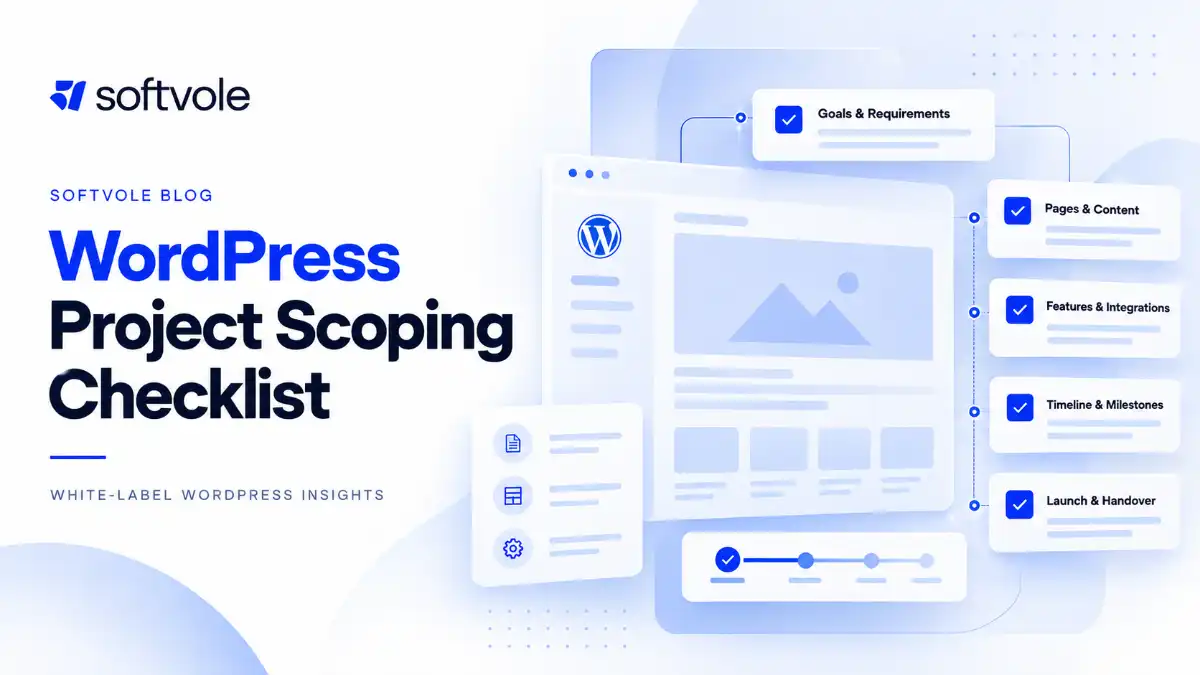
The complete WordPress project scoping checklist
Use this as the pre-quote review.
Business and project
- Business objective defined
- Primary audiences identified
- Priority conversions defined
- Existing site reviewed
- Hard deadlines documented
- Compliance requirements identified
- Budget or commercial constraints understood
Information architecture and design
- Sitemap available
- Published pages counted
- Unique templates identified
- Global components identified
- Reusable sections identified
- Design source confirmed
- Animation requirements defined
- Responsive behavior expectations defined
Content
- Content owner named
- Copy readiness confirmed
- Images/assets readiness confirmed
- Content population responsibility defined
- Image sourcing responsibility defined
- Existing content to migrate counted
- Downloads/PDFs inventoried
WordPress CMS
- Page-builder/editor approach defined
- Custom post types identified
- Taxonomies identified
- Custom fields identified
- Archive behavior defined
- Search/filtering requirements defined
- Editor permissions defined
- Required/optional field behavior defined
Functionality
- Forms specified
- Search specified
- Filters specified
- Calculators specified
- Booking functionality specified
- Membership/account requirements specified
- Authentication requirements specified
- Functional edge cases documented
Integrations
- Third-party vendors identified
- Data flows mapped
- Field mappings known
- Credentials/access owner identified
- Test accounts available
- Error behavior defined
- Third-party configuration responsibility defined
WooCommerce
- Product count known
- Product types defined
- Variations/attributes defined
- Payment gateways defined
- Shipping rules defined
- Tax responsibility clarified
- Checkout requirements defined
- Account requirements defined
- Transactional emails defined
- Store integrations defined
- Order/customer/product migration defined
Migration and SEO
- Existing URLs inventoried
- Migration records counted
- URL changes identified
- Redirect-map ownership defined
- SEO metadata migration defined
- Canonical/indexation requirements defined
- Search Console ownership defined
- Sitemap requirements defined
- Post-launch crawl checks assigned
Technical
- Existing stack reviewed
- Theme/builder decision made
- Plugin assumptions listed
- Premium-license ownership defined
- Hosting confirmed
- Staging confirmed
- Backup plan confirmed
- Deployment responsibility defined
- DNS responsibility defined
QA
- Functional QA defined
- Browser support defined
- Responsive QA defined
- Content QA responsibility defined
- Accessibility requirement defined
- Ecommerce testing defined
- Integration testing defined
- Acceptance criteria defined
Project management
- Feedback owner named
- Approval owner named
- Revision rounds defined
- Feedback method defined
- Review deadlines defined
- Change-request process defined
- Dependencies documented
- Exclusions documented
Launch and handoff
- Launch responsibilities documented
- Analytics ownership documented
- Training requirement defined
- Documentation requirement defined
- Credential handoff defined
- Post-launch support window defined
- Ongoing maintenance responsibility defined
If half of those answers are “we’ll figure that out later,” you do not have a fixed-price scope yet.
You have discovery.
A practical Scope Certainty Score for agency quotes
The following is a Softvole editorial framework, not an industry benchmark. Agencies can adapt it to their own commercial model.
Score each category from 0 to 2:
- 0 = Unknown
- 1 = Partially defined or assumption-dependent
- 2 = Defined well enough to estimate
| Area | 0 | 1 | 2 |
|---|---|---|---|
| Templates/components | Unknown | Rough sitemap only | Templates and components counted |
| Content | Unknown | Some content ready | Responsibilities and volume defined |
| CMS/data model | Unknown | Content types known | Fields, taxonomy and behavior defined |
| Functionality | Vague | Main functions known | Behaviors and edge cases defined |
| Integrations | Unknown | Vendors named | Data flow and ownership defined |
| Migration | Unknown | General migration expected | Records, URLs and responsibilities defined |
| Ecommerce | Unknown | Store basics known | Catalog, checkout, payment, shipping defined |
| QA/compliance | Unknown | General expectations | Acceptance/testing standard defined |
| Feedback/approvals | Unknown | Stakeholders known | Owner, rounds and process defined |
| Launch/ownership | Unknown | General handoff expected | Production and post-launch ownership defined |
Maximum score: 20
17-20: Ready for a fixed quote
Major delivery units and responsibilities are defined. Remaining assumptions should still appear in the scope.
12-16: Quote carefully
A fixed price may be possible, but include explicit assumptions, allowances, options, or a contingency mechanism for unresolved areas.
0-11: Discovery first
Too many unknowns can alter architecture, development effort, content workload, or timeline.
Use:
- paid discovery;
- technical audit;
- estimate range;
- phased engagement;
- discovery-plus-build contract.
Do not convert uncertainty into a suspiciously precise fixed price.
The point of this score is not mathematical accuracy.
It is to make uncertainty visible before sales hands the job to production.
What agencies get wrong when scoping WordPress projects
Mistake 1: Pricing by page count alone
Page count can estimate content population.
It cannot reliably estimate functionality, CMS architecture, or integration complexity.
Count templates and behavior separately.
Mistake 2: Assuming “WordPress” defines the implementation
WordPress might mean:
- Gutenberg;
- Elementor;
- custom block development;
- custom theme;
- commercial theme;
- inherited legacy build;
- WooCommerce;
- multisite;
- heavily customized plugin stack.
The CMS name does not define the scope.
Mistake 3: Leaving content until kickoff
Content affects:
- page structure;
- field requirements;
- design;
- migration;
- SEO;
- timelines.
It belongs in scoping.
Mistake 4: Listing integrations without defining what they do
“HubSpot integration” could be a form embed or a custom data synchronization workflow.
Scope the data and behavior.
Mistake 5: Treating migration as file copying
A migration can involve content transformation, metadata, redirects, plugin data, users, orders, URL changes, and SEO preservation.
Inventory it.
Mistake 6: Using “SEO included” as a scope item
Technical implementation, keyword research, content strategy, metadata writing, schema, redirects, analytics, Search Console, and ongoing SEO are different services.
Specify which ones are included.
Mistake 7: Promising undefined accessibility compliance
Define the target standard and testing responsibility instead of using compliance terminology casually.
Mistake 8: Forgetting plugin and license ownership
A plugin working on staging does not answer who pays for its renewal next year.
Resolve commercial ownership before handoff.
Mistake 9: Defining revisions without defining approvals
Revision limits do little when nobody knows whose approval is final.
Mistake 10: Ignoring post-launch ownership
Someone has to own updates, backups, security, monitoring, and future changes.
Make that explicit before launch.
When should an agency use discovery instead of quoting immediately?
Use a separate discovery phase when an unresolved question could materially change the architecture, workload, risk, or price.
Typical examples include:
- undocumented legacy WordPress sites;
- large content migrations;
- complex WooCommerce stores;
- custom API integrations;
- membership systems;
- multisite;
- multilingual architecture;
- inherited custom plugins;
- ERP or CRM synchronization;
- unclear accessibility requirements;
- multiple websites being consolidated;
- ambiguous stakeholder requirements.
Discovery is not a way to avoid giving a price.
It is a way to price the actual project rather than a fictional version of it.
A good discovery engagement should produce useful artifacts such as:
- confirmed requirements;
- sitemap;
- template list;
- CMS model;
- integration register;
- migration inventory;
- risk register;
- responsibilities;
- assumptions;
- acceptance criteria;
- delivery plan;
- estimate.
That output can then support a defensible quote.
How to turn scoping into an agency workflow
The most effective scoping process is not complicated.
It is repeatable.
Step 1: Capture the brief
Collect what the client believes they need.
Do not estimate yet.
Step 2: Audit what already exists
Review:
- existing site;
- technology;
- URLs;
- content;
- integrations;
- hosting;
- analytics;
- ecommerce;
- plugins.
Step 3: Convert requests into scope units
Translate “blog,” “CRM,” “store,” and “migration” into templates, records, fields, flows, and responsibilities.
Step 4: Identify unknowns
Mark every important requirement as:
- confirmed;
- assumed;
- unknown.
Step 5: Resolve high-impact unknowns
Ask questions or run discovery where necessary.
Step 6: Estimate production
Estimate from the actual scope units:
- design;
- templates;
- components;
- CMS;
- features;
- integrations;
- population;
- migration;
- QA;
- PM;
- launch.
Step 7: Write the WordPress scope of work
Document:
- deliverables;
- responsibilities;
- assumptions;
- exclusions;
- revisions;
- acceptance;
- dependencies;
- handoff.
Step 8: Quote
Now price the project.
Not before.
Scoping projects that will be delivered by a white-label WordPress partner
For agencies using external production support, a good scope does another job: it removes the need for the production partner to reverse-engineer the sales conversation.
A usable development handoff should include:
- approved designs or design status;
- page/template inventory;
- responsive expectations;
- CMS model;
- component behavior;
- plugin constraints;
- forms and integrations;
- migration requirements;
- content status;
- technical access;
- QA expectations;
- delivery deadline;
- known exclusions.
That allows the production partner to assess the same project the agency believes it sold.
Without that alignment, the agency may quote one interpretation while the developer discovers another.
Softvole works specifically as a white-label production partner for agencies, so this type of scoping is especially useful when design, account management, and development are split across different teams. The purpose is not to make briefs longer. It is to make handoffs unambiguous.
Practical next step: build a one-page quote gate
Before any WordPress quote leaves your agency, run the opportunity through a simple internal gate:
Can we answer these five questions?
- What are the actual delivery units?
- What does the client provide?
- Which third-party systems affect delivery?
- What does accepted work look like?
- Which material unknowns remain?
If question five produces a long list, do not hide those unknowns inside the price.
Resolve them, qualify them, or sell discovery.
That one discipline will improve your WordPress scope of work more than adding another 40 questions to a discovery form.
Frequently Asked Questions
What should be included in a WordPress project scope of work?
A WordPress scope of work should define objectives, pages, unique templates, reusable components, CMS structure, content responsibilities, functionality, integrations, migration, QA requirements, revisions, approvals, launch responsibilities, assumptions, exclusions, and post-launch ownership. WooCommerce projects also need catalog, checkout, payment, shipping, tax, account, and transaction-flow requirements.
How do you estimate a WordPress website before quoting?
Estimate the actual production units rather than page count alone. Count unique templates, components, CMS content types, functionality, integrations, content population, migration records, QA requirements, project management, and deployment. Resolve any unknown that could significantly alter one of those areas before giving a fixed price.
What’s the difference between a website brief and a scope of work?
A brief describes what the client wants and why. A scope of work translates that brief into defined deliverables, responsibilities, boundaries, assumptions, and acceptance criteria. The brief informs the project. The scope tells the delivery team what it is responsible for building.
Should agencies charge for website discovery?
Charging for discovery can be appropriate when the work required to produce an accurate quote is substantial, particularly for complex migrations, integrations, WooCommerce projects, legacy systems, or unclear requirements. Small, well-defined projects may only require normal pre-sales scoping.
How many revisions should a WordPress project include?
There is no universal number. The important part is defining revision stages, the number of rounds included at each stage, who consolidates feedback, and what qualifies as a revision versus new scope. Two clearly defined rounds can be easier to manage than an undefined promise of “reasonable revisions.”
Should SEO be included in a WordPress development scope?
Only the specific SEO work being delivered should be included. A development scope might cover crawlability, metadata implementation, redirects, canonical tags, sitemap configuration, schema implementation, and Search Console verification. Keyword research, content writing, digital PR, link acquisition, and ongoing SEO should not be assumed unless explicitly included.
Google’s current AI Search guidance does not require a separate GEO implementation, special AI schema, or llms.txt file for visibility in AI Overviews or AI Mode. Standard SEO fundamentals, useful content, crawlability, and clear page structure remain the foundation.
How detailed should a WordPress requirements checklist be?
Detailed enough that a developer or production partner who was not present during the sales call can understand what needs to be delivered. A requirement does not need to prescribe every line of implementation, but it should define expected behavior, inputs, outputs, responsibilities, and important constraints.
What should an agency do if the client cannot answer technical scoping questions?
The agency should translate technical questions into business questions where possible. If critical answers still require investigation, audit the current system or run a discovery phase. Do not force a client to design the architecture themselves, but do not pretend an unresolved architectural decision has no effect on price.
Conclusion
A reliable WordPress project scoping checklist does not exist to eliminate every change from a project.
It exists to separate known work from unknown work before your agency makes a commercial commitment.
The most important shift is simple: stop quoting labels such as “12 pages,” “WooCommerce,” “CRM integration,” “migration,” or “SEO.”
Translate them into templates, fields, records, workflows, integrations, responsibilities, acceptance criteria, and ownership.
Then quote what your team can actually see.
For agencies that prefer to keep client strategy, design, and account management in-house while handing WordPress production to a specialist team, the same scope can double as a clean white-label development brief. Softvole can work from that brief without changing who owns the client relationship.