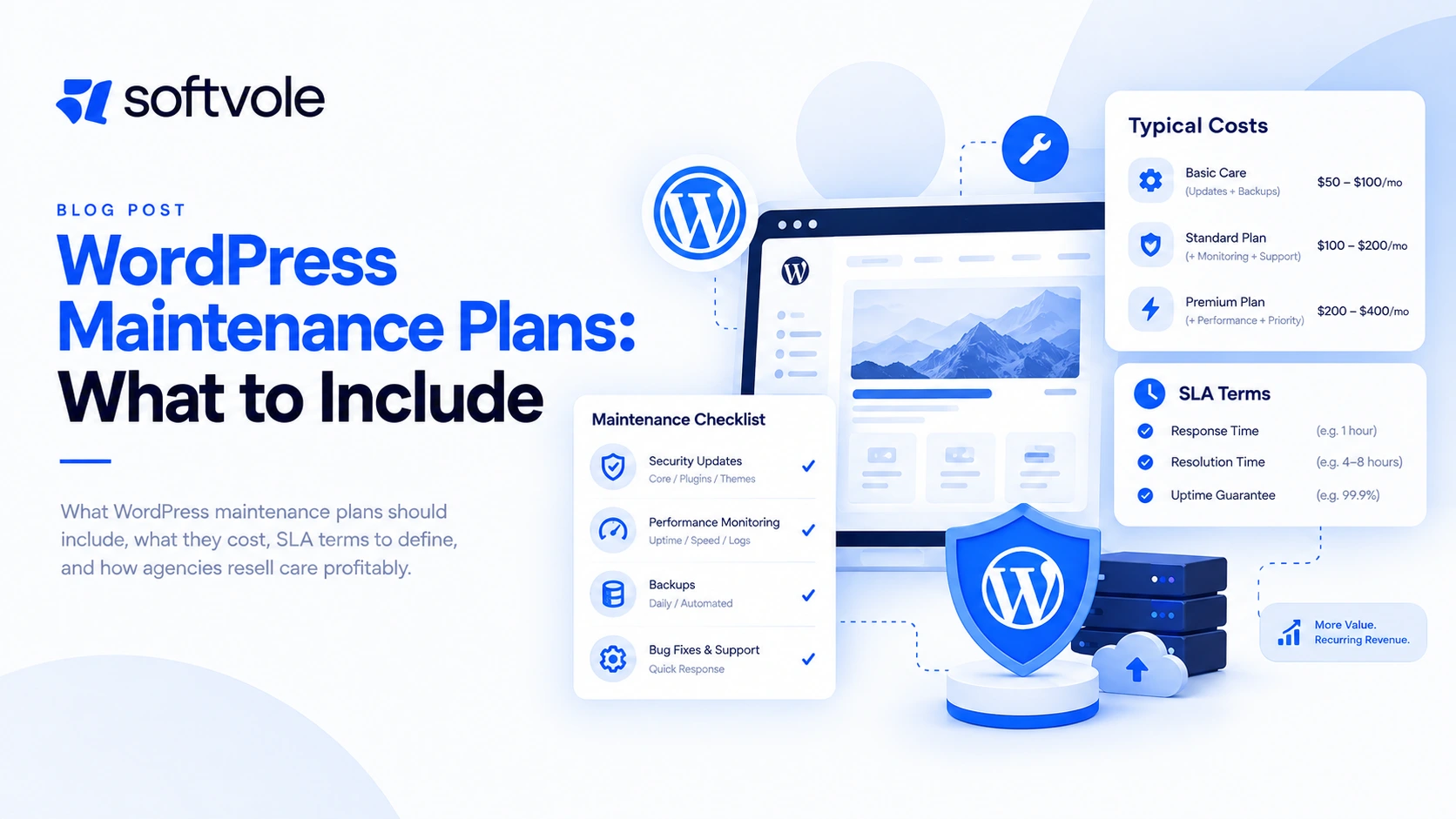
WordPress maintenance plans are the most reliable recurring revenue an agency can sell, yet most plan pages online stop at a feature checklist. This guide covers what a plan should include, the service levels clients really care about, realistic prices, and the margin math for agencies that resell care under their own brand.
What WordPress Maintenance Plans Should Include
The core of all WordPress maintenance plans
Every plan, from the cheapest to the most complete, should protect the same three things: the site stays online, the site stays secure, and the site can be restored if something goes wrong. Features beyond that are about convenience and growth.
Short answer: A solid WordPress care plan includes core, theme, and plugin updates tested on staging, daily offsite backups with tested restores, uptime monitoring, security hardening and scanning, performance checks, a monthly report, and a defined number of support hours for small changes.
| Component | Minimum standard | Why it matters |
|---|---|---|
| Updates | Weekly, tested on staging first | Most self-inflicted outages follow untested updates |
| Backups | Daily, offsite, 30-day retention | Server-only backups fail when the server fails |
| Restore testing | At least quarterly | An untested backup is an assumption |
| Uptime monitoring | 1 to 5 minute checks with human response | Alerts nobody reads do not reduce downtime |
| Security | Firewall, malware scanning, vulnerability alerts (see our WP security checklist ) | Plugins are the most common entry point |
| Performance | Monthly speed checks on key templates ( why sites slow down ) | New scripts and plugins slowly erode speed |
| Support | Defined hours or tasks per month | Prevents scope creep in both directions |
| Reporting | Monthly, branded, plain language | Makes invisible work visible at renewal |
How to Structure Plan Tiers
Three tiers work for most agencies. Name them by outcome rather than metals, so clients understand what they are buying.
| Essential Care | Growth Care | Commerce Care | |
|---|---|---|---|
| Best for | Brochure sites | Lead generation sites | WooCommerce stores |
| Updates and backups | Weekly / daily | Weekly / daily | Weekly / hourly database |
| Support time | 30 minutes | 2 hours | 4 hours |
| Response time | 2 business days | 1 business day | 4 business hours |
| Extras | Monthly report | Speed and SEO checks, form testing | Checkout testing, order monitoring |
| Typical client price | $99 to $199/mo | $199 to $399/mo | $399 to $900/mo |
The SLA Terms Most Plan Pages Leave Out
Feature lists are easy to copy. Service levels are where plans actually differ, and where disputes start. Put these in writing:
- Response time: how fast someone acknowledges a ticket, and how fast urgent outages get attention.
- Restore time target: how long it takes to restore from backup after a failure.
- Backup retention: how many days of history exist, and where they are stored.
- Malware cleanup: included, capped, or billed separately.
- Unused hours: roll over, expire, or convert to credit.
- Out-of-scope work: the hourly rate or how fixed quotes are issued.
- Cancellation and handoff: what the client receives (backups, credentials, licenses) if they leave.
Agency tip: Clear handoff terms make clients more comfortable signing. Lock-in through withheld credentials damages trust and referrals.
Website maintenance packages compared
Most website maintenance packages fall into three levels. The level is set by how much a failure would cost the client, not by page count alone. The ranges match the market pricing in the next section.
| Package level | Typical site | Usually includes | What raises the cost |
|---|---|---|---|
| Basic care | Brochure site with few changes | Updates, backups, uptime monitoring, basic security checks | Many plugins, an old theme, or no staging site |
| Standard care | Lead generation site with forms and integrations | Basic care plus form and integration checks, small content edits, monthly report | More edit time, CRM or booking integrations, faster response times |
| Commerce care | WooCommerce store or membership site | Standard care plus checkout and payment checks after updates, closer monitoring | Order volume, payment gateways, subscriptions, custom plugins |
What WordPress Maintenance Costs
Typical market pricing
Simple brochure sites commonly sit between $80 and $200 per month. Lead generation sites with forms, integrations, and regular edits sit between $200 and $400. WooCommerce stores, membership sites, and anything handling payments typically cost $400 to $900 or more, because downtime costs real money and testing takes longer.
The reseller margin math
Here is how the numbers work for an agency reselling white label website care across a portfolio.
| Metric | Value |
|---|---|
| Partner cost per site (Softvole care from) | $149/mo |
| Agency resale price per site (illustrative) | $249/mo |
| Account management time per site | About 20 min/mo |
| Monthly gross profit, 25 sites | $2,500 |
| Annual gross profit | $30,000 |
| Gross margin | About 40% |
The figures in this example are illustrative so the margin math is easy to follow. For current Softvole care tiers and prices, see the website care page and the pricing page.
That recurring profit also protects your other retainers. In our experience, clients whose sites are stable are far less likely to blame the agency when marketing results dip.
Reports Clients Actually Read
Raw exports from monitoring tools do not sell renewals. Lead every report with three sentences: what was updated, what was prevented, and what you recommend next. Follow with uptime, backup status, and speed scores for anyone who wants detail. Keep the agency logo on it, even if a partner produces it.
How to Choose a Maintenance Partner
Before you sign, run every inherited site through a WordPress audit, then ask any partner these questions:
- Ask whether updates run on staging first, and how visual changes are checked. The WordPress handbook on backups and hardening is a useful baseline.
- Ask for a sample report and a sample incident note.
- Ask who responds to an outage at 8 p.m. on a Friday.
- Confirm the partner never contacts your clients directly. You can read how Softvole works with agencies as a reference point.
- Check that backups are offsite and that restores are tested.
What Happens in a Typical Care Month
| Week | Routine work |
|---|---|
| Week 1 | Staging update batch, visual checks, production update window |
| Week 2 | Form tests, broken link scan, uptime and error log review |
| Week 3 | Second update batch, speed check on key templates |
| Week 4 | Backup restore spot check (quarterly), report preparation |
| Ongoing | Support requests, security alerts, incident response |
Common Care Plan Mistakes
- Selling unlimited edits, which quietly becomes free development work.
- Relying on host backups only, with no copy outside the hosting account.
- Applying updates on Fridays or just before a client campaign.
- Skipping onboarding audits, then inheriting every old problem as your own.
- Reporting activity instead of outcomes. “42 updates applied” means little; “zero downtime and two vulnerabilities patched” means a lot.
Plans also need to evolve with the stack. WordPress shipped version 7.1 in August 2026 according to WordPress.org release news, and each major release is a reminder to retest themes and plugins on staging first.
How to Onboard a New Site Onto a Plan
The first month on any plan is different from every month after it. Inherited sites carry unknowns, and pricing a plan before you know them is how agencies lose money on care.
- Collect access: hosting, DNS, registrar, WordPress admin, and premium license accounts. Confirm the client owns each one.
- Audit: run a full WordPress audit covering versions, plugins, security, backups, speed, and SEO.
- Stabilize: fix critical findings first, such as vulnerable plugins, missing offsite backups, or an unsupported PHP version. Price this as a one-time onboarding fee.
- Baseline: record uptime history, speed scores, and form tests so future reports show change, not just status.
- Move to routine: add the site to the update schedule, monitoring, and monthly reporting.
Charging a separate onboarding fee, commonly $250 to $1,500 depending on the site’s condition, keeps the monthly price honest. Without it, the first three months of a plan often cost more to deliver than they earn.
Where Care Ends and Projects Begin
The most common source of friction is a client who believes a new landing page, a redesign of the header, or a new integration is “maintenance.” Write the boundary into the agreement with examples.
| Usually included in care | Usually a separate project |
|---|---|
| Text and image updates on existing pages | New page templates or major layout changes |
| Plugin and theme updates | Replacing a theme or page builder |
| Fixing something that broke | Adding features that never existed |
| Small form field changes | New integrations with CRMs or booking tools |
| Speed checks and minor tuning | A full performance remediation sprint |
Using Care to Improve Client Retention
Care plans do more than generate recurring revenue. They create a monthly touchpoint that keeps the agency relevant between campaigns. Use the report to recommend one improvement each quarter, such as a speed fix, an accessibility pass, or a conversion test on a key page. Clients who see continuous improvement rarely shop around, and the recommendations often become paid projects.
When a site sits on hosting that slows it down, the plan should include a recommendation and a path to move it; our guide to how to move a WordPress site to a new host covers the process.
Annual Pricing Reviews
Review every plan once a year. Sites grow: more pages, more plugins, more integrations, and more traffic. A site that fit the entry tier at launch may now need the middle tier. Communicate the change with data from the year’s reports, such as hours spent, incidents prevented, and updates applied, and give 30 days’ notice. Clients accept increases they can see the reason for.
Run Care In-House or Resell a Partner’s Plan?
| Factor | In-house care | Reselling a white label plan |
|---|---|---|
| Upfront investment | Tools, processes, staff training | Minimal |
| Cost per site | Falls as the portfolio grows | Fixed per site |
| After-hours coverage | Requires on-call staff | Included by the partner |
| Consistency across sites | Depends on your processes | Partner’s standard process |
| Best when | Portfolio above roughly 75 to 100 sites with dedicated staff | Most agencies below that size |
Many agencies start by reselling, learn which services clients value most, and only build in-house operations once volume justifies a dedicated person. Others keep reselling permanently because it removes on-call stress from their team.
The Tooling Behind a Professional Plan
A credible plan relies on a small set of tools working together: a management dashboard to apply updates across sites, staging environments for testing, visual comparison to spot layout changes after updates, offsite backup storage, uptime monitoring with alert routing, a security scanner and firewall, and a reporting tool that produces branded summaries. Ask any partner which tools fill each role. The specific brands matter less than whether every role is covered and someone is accountable for watching the alerts.
How Care Differs for Stores and Membership Sites
A brochure site that goes down for an hour is embarrassing. A store that goes down for an hour loses orders, and a membership site that breaks logins generates a wave of support emails. These sites need tighter update windows outside peak hours, checkout and login tests after every update, more frequent database backups because orders and accounts change constantly, and faster response commitments. Price them accordingly; the higher fee reflects real extra work and risk, not a premium for its own sake.
Buyer’s Checklist Before Signing Any Plan
- Updates are tested on staging, with visual checks, before production.
- Backups are stored outside the hosting account and restores are tested.
- Response times for urgent and routine issues are written down.
- The amount of monthly support time and what it covers are clear.
- Malware cleanup and incident response terms are defined.
- The client keeps ownership of the site, licenses, and credentials.
- Reports arrive monthly and are easy to understand.
If a plan cannot answer these points in writing, the price is not comparable to plans that can.